Short answer: An AI agent can take on the repeatable admin in a professional services team: client intake and paperwork, document prep, filing and naming, inbox triage and follow-up drafts, reminders and deadlines, and internal reporting. It drafts, sorts and prepares. A named person still reviews anything that goes to a client, touches money or needs professional judgement.
This is a menu of AI agent admin tasks for professional services teams in Toronto/GTA and Vancouver: accounting and bookkeeping practices, law offices, consultancies, clinics and wellness practices, and agencies. If you have not mapped your team's admin yet, read Shadow first, automate second before you pick anything from this list.
Key takeaways
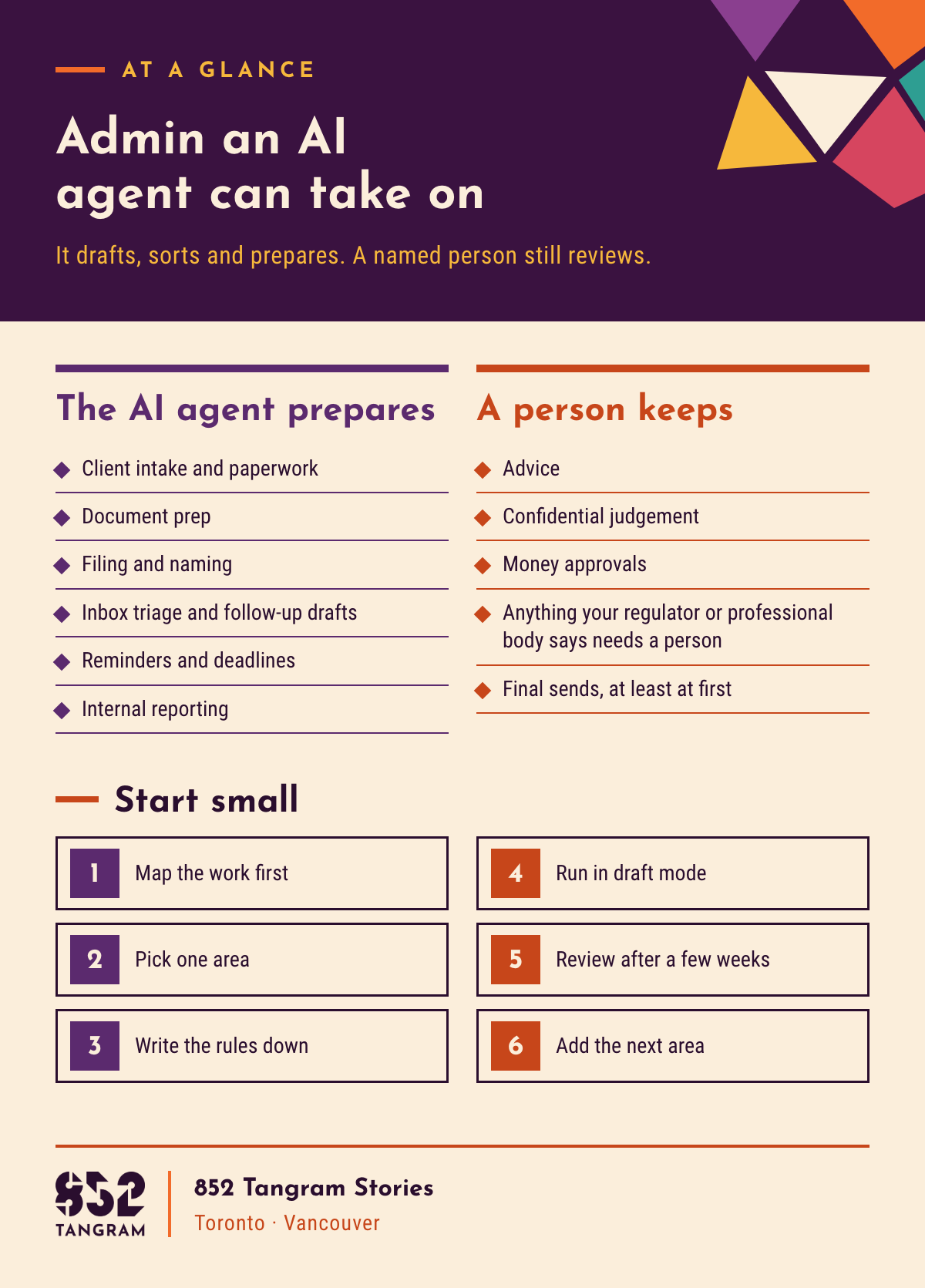
An AI agent works through multi-step admin and prepares the result; a person approves it before it reaches a client.
Good first tasks are repeatable and low risk: intake checklists, file naming, inbox sorting, reminder drafts and internal summaries.
Advice, confidential judgement and money approvals stay with a named person; check with your regulator or professional body on client files.
Start with one admin area in draft mode, then add the next.
What is an AI agent, and how is it different from a chatbot or an automation rule?
An AI agent is software that can take a request, work through several steps on its own and prepare the result for a person to check. A chatbot answers questions in a conversation, and an automation rule does one fixed thing when one fixed trigger happens.
You may also see the term AI assistant; in this post we say AI agent. The difference matters because admin is rarely one step.
| Type | What it does | Admin example |
|---|---|---|
| Automation rule | One fixed action when one fixed trigger happens | Every new web form is copied into the same folder |
| Chatbot | Answers questions in a conversation | A prospective client asks what documents to bring |
| AI agent | Works through several steps and prepares a draft for review | Names and files a new client's uploads, then drafts a note listing what is missing |
For the same idea on the marketing side, see what AI marketing automation is, and what it can't do yet.
Which admin tasks can an AI agent take on in a professional services firm?
An AI agent can take on admin that follows a pattern your team can describe. Scheduling fits too; it has its own post in this series.
Client intake and paperwork: sends the right checklist, logs what comes back, flags gaps.
Document prep: fills firm-approved templates with details already on file, ready for review.
Filing and naming: renames incoming files to your rule and puts them in the right client folder.
Inbox triage and follow-up drafts: sorts a shared inbox, drafts replies for a person to send.
Reminders and deadlines: tracks the dates your team already works to and drafts reminders before anything slips.
Internal reporting: summarizes open files, overdue items and work waiting on clients for the team meeting.
Admin task menu by type of firm
| Admin task | What the AI agent does | What a person still owns |
|---|---|---|
| Client intake (accounting and bookkeeping) | Sends the document checklist, logs what arrives, drafts a note on what is missing | Deciding to take on the client, and any identity or engagement checks |
| Engagement letters (legal) | Fills the firm's approved template with the client and matter details | Reviewing, editing and signing; any change to terms or scope |
| Filing and naming (consulting) | Renames and files project documents, flags duplicates | The naming rule, folder access and what counts as confidential |
| Intake forms (clinics and wellness practices) | Sends forms before a first visit and checks they are complete | Reading the health information and every clinical decision |
| Inbox triage and follow-ups (agencies) | Sorts the shared inbox, drafts replies and follow-ups | Reading and sending, and handling complaints or anything sensitive |
| Reminders and deadlines (any firm) | Tracks due dates and drafts reminders for clients and staff | Owning the deadline and deciding what happens if it is missed |
| Internal reporting (any firm) | Drafts a short weekly summary of open files and overdue items | Setting priorities and deciding what goes to clients |
Not sure which of these to hand over first?
Book a free strategy call, or send us a short note and we'll reply by email (the short form is at the end of this post).
What should a professional services team not hand over to an AI agent?
Do not hand over anything that needs professional judgement, client trust or the authority to approve. The AI agent can prepare the material; a named person decides.
Advice. Tax, legal, clinical, financial or strategic advice stays with the qualified person giving it.
Confidential judgement. Conflict checks, what to disclose, how to handle a sensitive file and who may see it.
Money approvals. Invoices, refunds, payments, write-offs and fee changes are approved by a person, every time.
Anything your regulator or professional body says needs a person. Rules can differ by profession and province, so check with yours before an AI agent touches client files.
Final sends, at least at first. Anything with the firm's name on it goes out after a person has read it.
Client information carries privacy obligations whoever handles it, so limit the agent to the folders each task needs. The same trust line runs through sales, as we cover in how AI is changing lead generation for professional services.
Who checks the AI agent's work?
A named person checks it, task by task, and you write down who that is before the agent starts.
One owner per task. "The team" is not a reviewer.
A visible record. The reviewer can see what the agent did and what it worked from.
Corrections go back into the rules. Fix the rule, not only the file, so the mistake does not repeat.
A plan for absences. When the reviewer is away, the task pauses or goes to a named backup.
How do you start small with an AI agent for admin?
Start with one admin area that is repeatable and low risk, run it in draft mode with a named reviewer, and add the next area only once the first one is reliable.
Map the work first. Use your shadowing notes or task map to see where admin time goes.
Pick one area. File naming, intake checklists or internal summaries are good candidates, because a mistake is easy to spot and fix.
Write the rules down. The naming rule, the template, the checklist, what the agent can see and what it must never do.
Run in draft mode. The agent prepares; the named reviewer approves every item before anything moves.
Review after a few weeks. Look at what was corrected and what was missed, then update the rules.
Add the next area. Only when the first one runs cleanly, and only with its own named reviewer.
The set-up matters more than the software, as it does in marketing: see why marketing automation fails.
How we approach it at 852 Tangram
852 Tangram spent time in a client's office, shadowing their team to follow their daily work, then set up an AI agent to automate their daily paperwork, class scheduling and admin. That client is a dance studio we work with.
We would start the same way with any professional services team: watch the work, then decide what the AI agent takes on and who reviews it.
Frequently asked questions
What admin tasks can an AI agent take on for a professional services firm? An AI agent can take on repeatable admin for a professional services firm: client intake and paperwork, document prep from approved templates, filing and naming, inbox triage and follow-up drafts, reminders and deadlines, and internal reporting. It prepares the work, and a named person reviews anything that goes to a client or touches money.
Can an AI agent help with admin in an accounting firm or law firm? An AI agent can help with admin in an accounting firm or law firm by sending intake checklists, filling approved templates such as engagement letters, filing documents and drafting reminders. The accountant or lawyer still gives all advice, signs documents and approves money. Check with your professional body before an AI agent touches client files.
What should an AI agent never do in a professional services firm? In a professional services firm, an AI agent should not give clients advice, make confidential judgement calls, approve invoices, refunds or payments, or do anything your regulator or professional body says needs a person. It can prepare material for those decisions, but a named person makes them and signs off.
How should a small firm start using an AI agent for admin? A small firm should start using an AI agent for admin with one repeatable, low-risk area, such as file naming or intake checklists. Write the rules down, limit what the agent can see, run it in draft mode with a named reviewer, and add the next area only once the first one runs cleanly.
Can a firm in Toronto or Vancouver use an AI agent with client information? A firm in Toronto or Vancouver should check its own obligations before an AI agent handles client information. Privacy duties apply whether a person or an AI agent handles the files, and rules can differ by profession and province. Check with your regulator or professional body, and limit the agent to the files each task needs.
Talk to 852 Tangram
Thinking about an AI agent for your firm's admin? We can help you decide what to hand over first. See our AI operations setup for professional services.
Book a free strategy call, or send us a short note and we'll reply by email.
About 852 Tangram: 852 Tangram is a bilingual creative agency serving Toronto/GTA and Vancouver.